Terminal UI
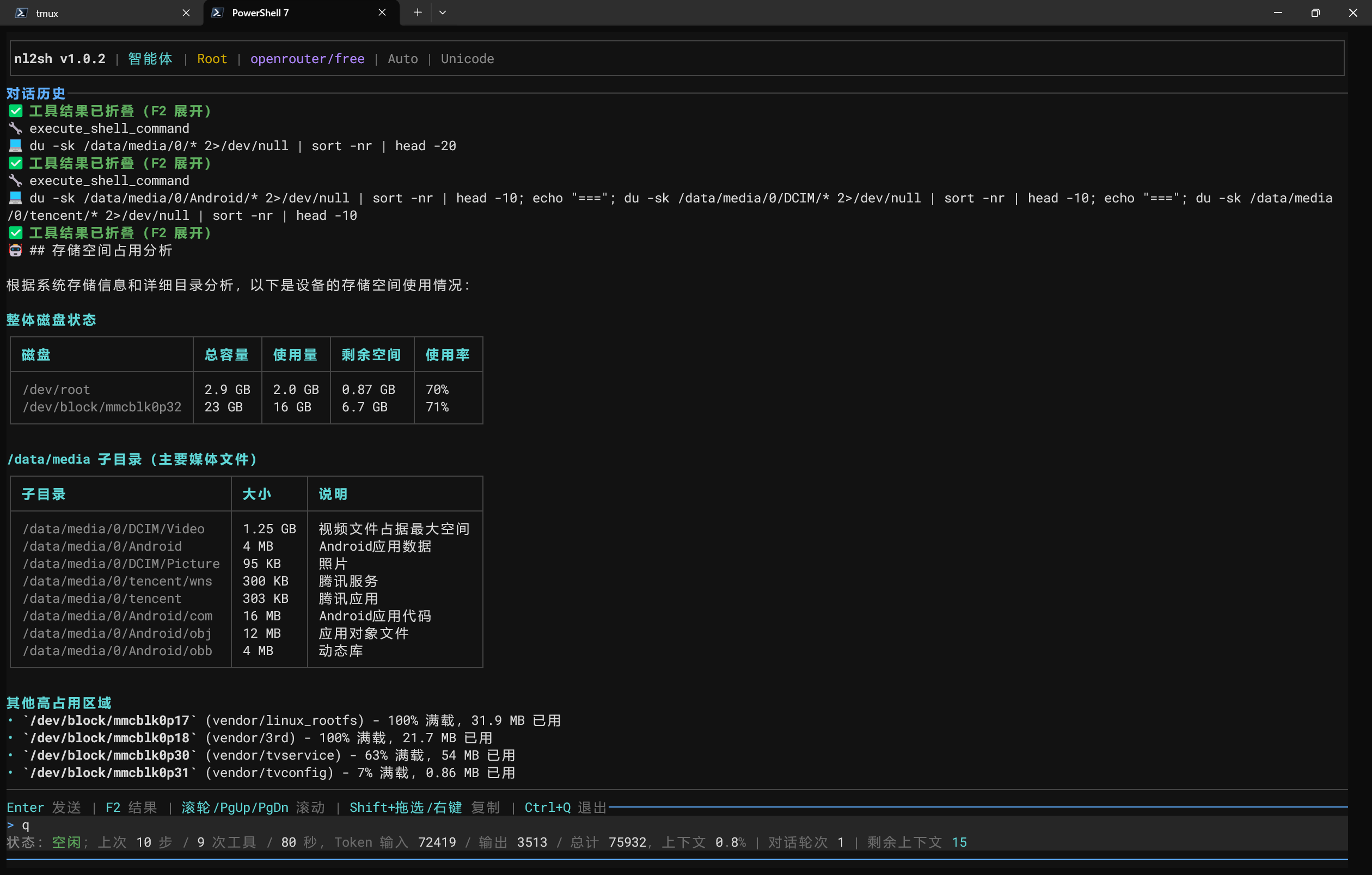
Run nl2sh without arguments for the multi-turn Agent. Missing configuration still opens the UI, but model tasks require a provider first. Terminal capabilities select TrueColor / ANSI 256; --ascii uses ASCII labels.
The startup “MCP / A2A” section shows a protocol-process snapshot, confirmed advertised addresses, HTTP authentication, and device startup/local stdio commands. With protocol_start_with_service=true, TUI startup starts protocols and shows the running version, complete Bearer token and actual endpoints; details expand only while running; stopped or unknown states show just one status line. Refresh through nl2sh --config <config-path> service status or the Web “MCP / A2A” dialog. See device MCP/A2A for connections and local approval.
| Action | Key or command |
|---|---|
| Send task | Enter |
| Edit input | Left/Right/Home/End/Delete, UTF-8 safe |
| Input history | Up/Down |
| Scroll history | Wheel, PageUp/PageDown |
| Expand/collapse tools | F2 |
| Cancel task / clear idle input | Ctrl+C |
| Quit safely | Ctrl+Q, /exit |
| Settings | /config, /setting |
| New session / restore | /new, /sessions |
Ctrl+C cancels a pending model request and returns to idle so you can send another task. Ctrl+Q cancels the current task, completes necessary cleanup, exits, and restores the terminal without waiting for the model request to time out. Pending approval or additional-input requests are rejected or cancelled, and subsequent tools do not execute.
Type / for suggestions, select with Up/Down, and complete with Enter. Unknown slash commands never go to the model. Shift+drag and the host terminal context menu copy text; Windows ADB launchers use wheel-to-Up/Down compatibility.
Running tools show bounded live output, then collapse completed results. Replies support Markdown, fenced-code highlighting, Unicode tables, and narrow-screen fallback. The status bar reports observed token use and budgets; missing usage remains unknown. Supported provider balances stay in memory only.
MCP / A2A settings
The “MCP / A2A” settings category brings together protocol_start_with_service (start with Web/TUI), protocol_service_port (0–65535; zero selects an available port), protocol_token, and protocol_auto_approve. Token input is masked. Leave it empty to generate a token at startup, or enter 32–256 printable ASCII characters without spaces. The NL2SH_PROTOCOL_TOKEN environment variable takes priority.
Restart protocols after changing startup, port, or token settings: use nl2sh --config <config-path> service restart for background services, exit and relaunch foreground TUI/Web, or restart a standalone protocol through its original entry point. Saved auto-approval settings apply to new protocol tasks; running tasks retain their snapshots.
Auto-approval defaults off
Enabling it approves every MCP/A2A risk level, including mutations and Dangerous/Critical operations. Give tokens only to fully trusted clients. Classification, parameter validation, target revalidation, and Root capability checks still run. TUI/Web conversation approval policies are independent. HTTP sends tokens in plaintext; prefer HTTPS remotely.
Local commands
!id skips the model but retains security, confirmation, and execution checks. Output is omitted from model context. /shell suspends the TUI for an ordinary system shell; exit / Ctrl+D returns. Its input/output is omitted from model context and audit logs; this is a shell directly controlled by the user. Full-screen commands temporarily suspend the TUI, then restore the terminal and repaint it.
See slash commands and safety approvals.
Tool configuration
Open /config (or /setting) and use Tab/Shift+Tab to select Tools. Up/Down selects an APK/JADX or Tailcat group or an individual tool; Left/Right or Space toggles it. Ctrl+S saves and reloads configuration; Esc discards edits. Long lists follow the selection. Each tool shows its effective enabled state and whether it inherits the group or has an override. Changing a group clears its tool overrides. Both groups default off. Enabling tools does not approve execution: risk classification, Root checks, and confirmation still apply. The ima switch and credentials remain in Knowledge.
Tailcat shortcut
Enter /tailcat. The dialog selects the actual Web port and ADB connection port (automatically detected, falling back to editable 5555) by default. Confirming the selection starts installation and sharing without further safety prompts. It shows download and execution status, then stays open with copyable peer commands. No LLM is used; existing tools handle validation and execution. See Tailcat.
Confirming or retrying automatically stops the previous managed Tailcat listener and starts sharing again. The dialog stays open after success or failure until explicitly closed.
See WeChat and QQ message channels for management. Channel tasks accept one-shot approvals in their originating conversation, independently of MCP/A2A local approvals and protocol auto-approval.
/status opens a scrollable module overview: current task/session, execution policy, model configuration, MCP/A2A, Web, WeChat/QQ, Android Bridge, JADX and Tailcat readiness. Local probes run asynchronously with bounded timeouts. Configured credentials do not imply authenticated connectivity; the dialog makes no model request and hides credentials and provider URL paths/query strings. It also opens during an active task. Use arrows/PageUp/PageDown or the mouse wheel to scroll, R to refresh and Esc/Enter to close.