Web UI
protocol_start_with_service defaults to false; enabling it lets managed service start/restart/stop control Web and MCP/A2A together; direct TUI and --web-only startup honor it as well. protocol_service_port defaults to 8765 (zero requests an available port). Apply changes with service restart. This does not enable automatic approvals. Connection details and generated tokens go to the private config.service/service.log. See starting with the service.
Interactive startup also listens on 0.0.0.0:9999, choosing another available port if occupied. Use the actual URL in startup output. There is no login: anyone reaching the page can view data, edit configuration, and submit tasks. Use a trusted network. ADB forwarding does not disable LAN listening.
System prompt
Enter multiline instructions in “Configuration → Model and Agent → Additional system prompt” and save, for example response language, style, or standing preferences. The TOML field is system_prompt; leave it empty to restore defaults. Instructions are appended to the built-in Agent prompt, preserving tool rules and runtime information. They cannot bypass security classification, execution approval, or Root checks. The setting applies to the shared Agent: the next Web task loads the new value, running tasks retain their snapshot, and TUI sessions need a restart.
MCP / A2A settings
The “MCP / A2A” settings category brings together protocol_start_with_service (start with Web/TUI), protocol_service_port (0–65535; zero selects an available port), protocol_token, and protocol_auto_approve. Token input is masked. Leave it empty to generate a token at startup, or enter 32–256 printable ASCII characters without spaces. The NL2SH_PROTOCOL_TOKEN environment variable takes priority.
Restart protocols after changing startup, port, or token settings: use nl2sh --config <config-path> service restart for background services, exit and relaunch foreground TUI/Web, or restart a standalone protocol through its original entry point. Saved auto-approval settings apply to new protocol tasks; running tasks retain their snapshots.
Auto-approval defaults off
Enabling it approves every MCP/A2A risk level, including mutations and Dangerous/Critical operations. Give tokens only to fully trusted clients. Classification, parameter validation, target revalidation, and Root capability checks still run. TUI/Web conversation approval policies are independent. HTTP sends tokens in plaintext; prefer HTTPS remotely.
MCP / A2A connections
The left vertical menu’s “MCP / A2A” button opens a connection dialog. Refresh the protocol-process status and copy actual MCP Streamable HTTP, A2A JSON-RPC, and public Agent Card URLs, HTTP/stdio client configuration, device startup commands, and an A2A request example. Discovery needs no model, starts no service, and shows the running version, complete Bearer token and authenticated client configuration, without protocol approval buttons. Mutations still require an interactive device terminal using the same UID and configuration.
By default, Web and protocols start separately; Web ready does not mean MCP/A2A is running. Human-readable service status and its JSON connections field provide the same information. /api/connections supplies credential-bearing details to the owner dialog with caching disabled. /api/info.connections and CLI status omit tokens. States are running/stopped/unknown: running verifies local process identity and the exclusive lock, not remote reachability. Without confirmed HTTP endpoints, default local examples are clearly labeled. 127.0.0.1 works only on the same device; HTTP is enabled by default with automatic device IPv4 advertisement; multiple interfaces/VPN/proxies can override it, preferably using HTTPS. Without NL2SH_PROTOCOL_TOKEN or configured protocol_token, startup generates and prints a token; the dialog shows the verified live process token and version; share credential-bearing configurations only with trusted callers. See device MCP/A2A.
Background startup without a terminal
adb shell '/data/local/tmp/nl2sh --config /data/local/tmp/config.toml service start --json'
adb shell '/data/local/tmp/nl2sh --config /data/local/tmp/config.toml service status --json'
state=ready means process identity and the PID, version, and actual port returned by /api/info have been verified. Use the returned port in adb forward tcp:9999 tcp:<port>, then open http://127.0.0.1:9999/. Repeated start returns a healthy existing service. Use service restart --json or service stop --json explicitly. --port 9999 sets the preferred port; --port-strict refuses an occupied port instead of selecting another; --port 0 requests an ephemeral port.
Each configuration has an adjacent private config.service/ directory with runtime and operation locks, state.json, service.log. Startup verifies readiness before returning. State records process start identity, executable device/inode, UID, version, and actual port. Stop sends a private shutdown token only to the verified service; it never kills processes by name. Shutdown cancels tasks, rejects pending approvals, and exits. Public status JSON omits the token. After binary replacement, status still reports the running version; restart launches the new version. Configuration and session files remain in place.
Background mode initializes no TUI/PTY and survives ADB disconnection. Launcher --web-only (-WebOnly in the PowerShell installer) uses the native lifecycle interface. Launchers stop only the managed service owned by this configuration and no longer end other nl2sh processes on the device by name. --web-only reuses an already healthy service, so a newly pushed binary needs an explicit service restart --json. nl2sh --web-only remains a foreground option for an external process supervisor and does not register a managed service. start refuses to replace an owned but unhealthy process; inspect its log and explicitly restart. Legacy launcher or Helper nohup processes are unregistered and must first be stopped through their original manager. The new interface does not adopt them.
Interface and sessions
The left icon bar opens sessions, files, apps, tools, safety terminal, memory, and configuration. Adjacent panels minimize, resize by dragging, and remember widths; narrow screens use overlays. The sidebar can create sessions; the logo shows the program version.
Multiple Agent sessions run concurrently; switching does not stop background work, and approvals are independent. Completed first turns generate short titles asynchronously; lists show creation time. Running, pending-approval, or terminal-connected sessions cannot be deleted. Web and TUI keep separate conversations.
Every new Web task loads saved configuration; restart the TUI to load browser changes. See provider setup. The read-only device overview needs no model. Advanced controls show budgets, tokens, Root state, and stage timings. Provider-returned reasoning is displayed separately and excluded from model history.
The memory panel searches, creates, edits, and deletes persistent notes, and can clear all notes after a second confirmation. These are explicit local Web management actions; model-initiated agent_memory mutations still pass through security classification and approval. Native Android deployments keep the SQLite database at memory/agent-memory.sqlite3 beside the nl2sh executable; Termux uses memory/ under the nl2sh state directory. The old .nl2sh-agent-memory.json file is not migrated automatically.
The update icon in the top bar checks the latest stable GitHub release when the page opens; click it to check again. An available version shows a red dot and a dialog with “Update now”, “Not now”, and “Skip this version”. Skipping is stored only in the current browser; manually opening the icon still lets you view that version. Standalone Android installations can update directly: the server revalidates the selected version and signed manifest, then shows actual downloaded bytes and percentage, signature download, signature/checksum/ABI verification, and installation phases. Failures remain visible with a retry option; duplicate clicks do not start concurrent updates. Closing the dialog or refreshing the browser does not cancel an update; reopen it to see progress. Restart nl2sh to run the installed version; use the original manager or nl2sh --config <config-path> service restart --json for a managed service. Helper installations update in Helper, and Termux APT installations use pkg upgrade nl2sh. Neither of those nor an installation with unverifiable ownership offers direct Web installation.
Files and output
Local Markdown images in conversation answers (for example, an image at /sdcard/Pictures/screenshot.png) and image, audio, or video links (for example, an audio file at /sdcard/Music/record.wav) display previews using the file manager components and the same bounded file endpoint. Absolute paths, paths relative to the program working directory, ~/, and /api/file-preview?path=... links are supported. Audio and video require manual playback and browser codec support; WAV/PCM retain parameter playback. Remote media links are not converted into local file previews, and paths inside code blocks do not play automatically.
The read-only file panel lists types, sizes, and timestamps. Bounded image/video/audio/text/code previews are available; arrows insert @paths. Text supports highlighting and wrapping, and video supports HTTP Range. WAV headers fill playback parameters; raw PCM requires actual sample rate, channels, and format. Parameter decoding is limited to 32 MiB. Other audio playback depends on browser codecs.
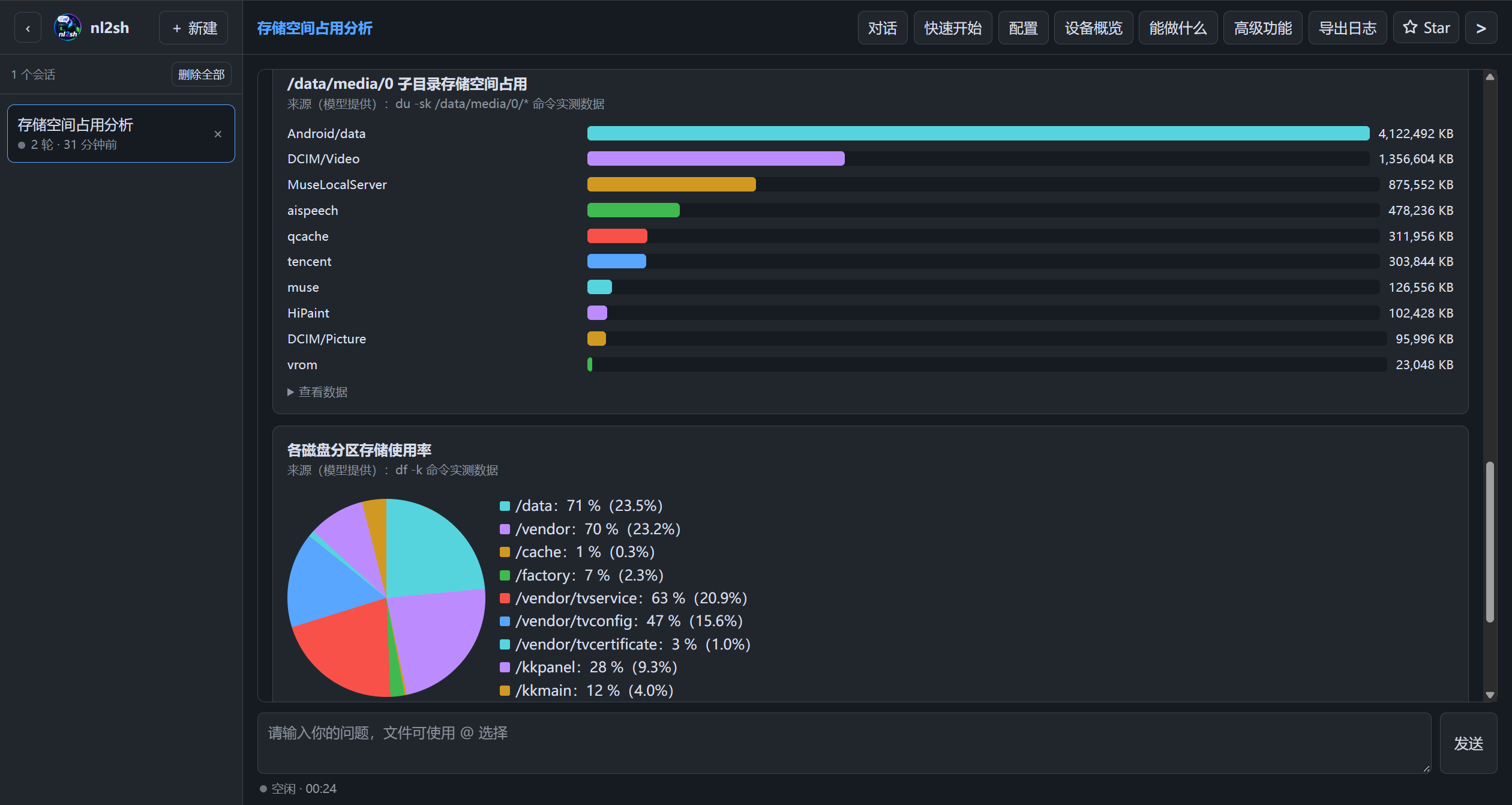
Fenced code blocks in model replies have an icon button in the upper-right corner that copies the complete code; the icon briefly changes to a check mark on success. Tool calls have separate collapsible cards; F2 expands/collapses all results in the current session. Charts derive from tool results; compare data and sources with original evidence. The safety terminal uses the same classification and approval chain and separates stdout/stderr/exit status.
Stop, restore, and export
Stopping cancels model waits, terminates and reaps command process groups, and stops other tools after their current operation. Redacted in-progress checkpoints become interrupted diagnostics after restart; approvals and execution never resume automatically. Failed tasks with recoverable original input offer retry, resubmitting input with fresh approvals.
Export ZIPs contain conversation.json, shared nl2sh.log, and scope notes. Logs may contain other sessions and device information; inspect before sharing. Known credentials are redacted, and output/log sizes are bounded.
More: safety approvals, sessions, and network troubleshooting.
Health and runtime information
GET /healthz returns {"status":"ok"} and checks HTTP responsiveness without depending on
sessions, a model provider or companions. GET /api/info returns protocol 1, native version,
PID, actual listening port, Web server uptime in seconds, process ABI and capabilities.
The snapshot distinguishes Android userspace, the current UID's shell/UI authority, existing root,
Bridge protocol and independent Accessibility/IME readiness, an installed supported JADX helper,
JADX acquisition possible after approval, and a reported Tailcat version. These read-only endpoints
contain no configuration credentials. Use healthz instead of a session listing for health checks;
a root flag never means an action has been approved. Discovery does not download assets, change
system settings or prompt for su. Internal probes use ordinary-user pipe capture and a five-second timeout.
In /api/tools, enabled is the configured switch and available means runtime prerequisites
are present; unavailable tools remain visible in settings. Agent requests, MCP nl2sh_tools and direct
invocation filter by current capability. Development hosts do not advertise Android control or ART
decompilation; ordinary Termux UIDs do not advertise UI tools requiring shell/root. Static APK
reads and Tailcat checks remain available. The next task or info request rediscovers state after
service/installation changes; a running task's registry does not change midway through execution.
/api/info also returns update_ownership: standalone installations can self-update, Termux APT uses pkg upgrade nl2sh, and Helper installations update through Helper. The native program reads its adjacent Helper ownership marker with a size limit and verifies the installed binary checksum. Corrupt or mismatched markers block self-update with recovery guidance, preventing competing update sources.
The tools panel derives optional groups from the runtime catalog and separates the saved enable switch from discovered availability. Unavailable tools remain visible for configuration, and their example-prompt button is disabled; enabling does not acquire a capability or approve execution.
Tailcat shortcut
Click the Tailcat icon and label at the top right. The dialog selects the actual Web port and ADB connection port (automatically detected, falling back to editable 5555) by default. Confirming the selection starts installation and sharing without further safety prompts. It shows download and execution status, then stays open with copyable peer commands. No LLM is used; existing tools handle validation and execution. See Tailcat.
Confirming or retrying automatically stops the previous managed Tailcat listener and starts sharing again. The dialog stays open after success or failure until explicitly closed.
See WeChat and QQ message channels for management. Channel tasks accept one-shot approvals in their originating conversation, independently of MCP/A2A local approvals and protocol auto-approval.